
Ultimate HeadSet Controller + Equalizer2.9 - Get APK
You'll be able to download in few seconds.
Publisher Description

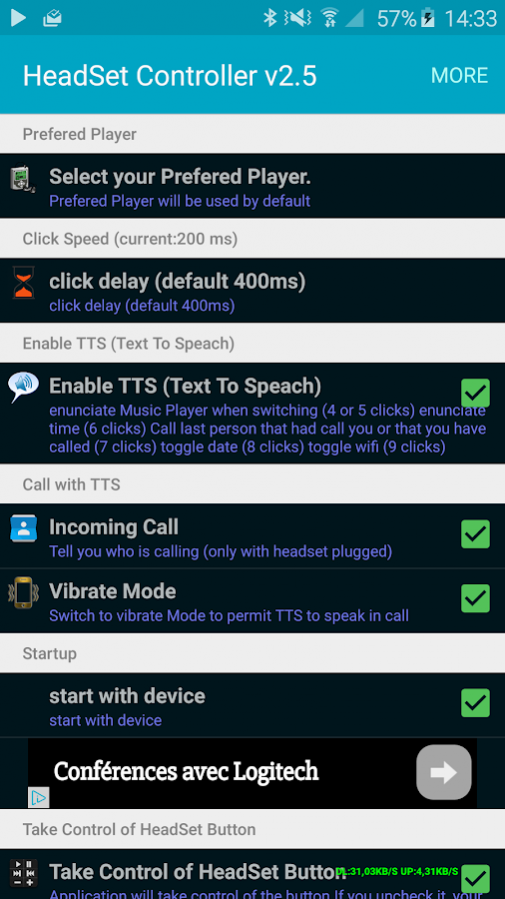
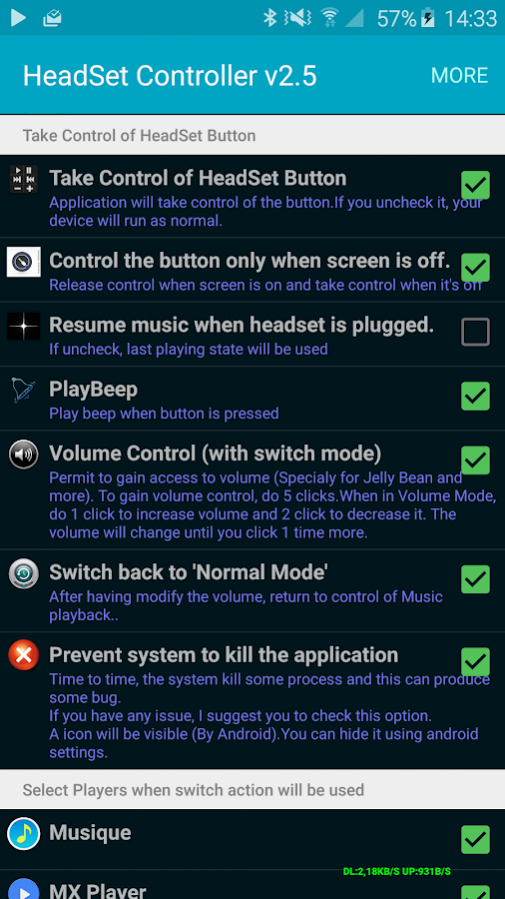
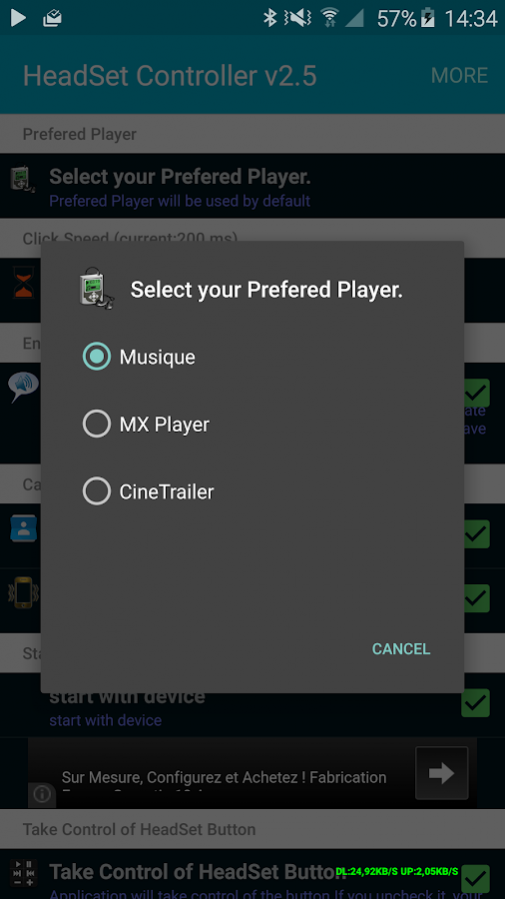

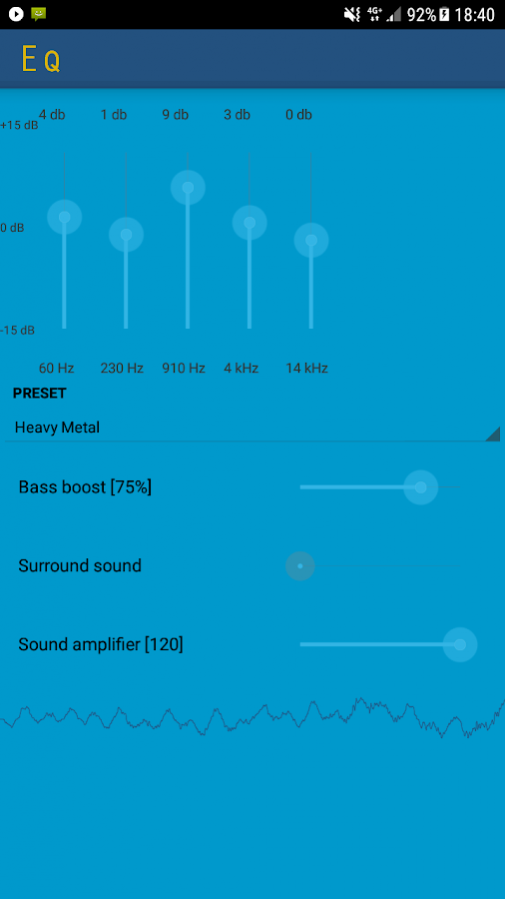
Ultimate Headphones Button Controller (For Wired HeadSet ONLY)
✰✰✰✰✰ ALL WITH ONLY ONE BUTTON ✰✰✰✰✰
✰✰✰✰✰ The ONLY ONE THAT WORK WITH ALL APPS (see other users comment) ✰✰✰✰✰
❤❤❤ Try It and you will never left it ❤❤❤
-Easy and powerfull (Faster than other)
-You can control all you need while listening music.
-You can control any Music Player
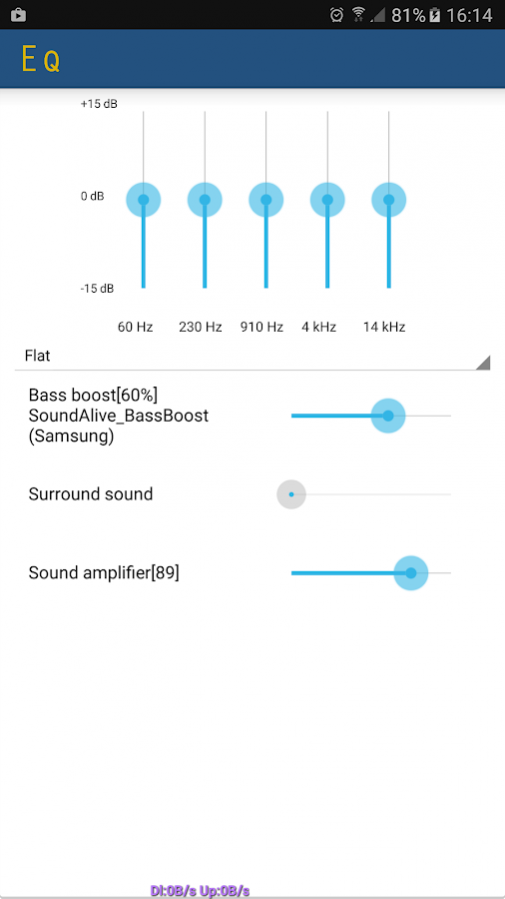
✰ Equalizer / Bass Boost for new devices (should be the only one that work ) ✰
-You will rediscover forgotten Music by switching Player
-enunciate contact when receiving incoming call (disabled by default).
-Tell you who is calling you.
- Text Message Reader when listening music
Functions:
-Pause/Play (1 click)
-Next (2 clicks)
-Previous (3 clicks)
-Switch Next Music players (4 clicks)
-Switch Previous Music players (5 clicks)
-Volume UP (long press - Before JellyBean -> 5 clicks after)
-Volume DOWN (1 click +long press - Before JellyBean -> 5 clicks after)
-enunciate Music Player when switching between Players selected (4 ou 5 clicks).
-Tell you what time it is (6 clicks).
-Call last person that had call you or that you have called (7 clicks).
-Disable/Enable Data (8 clicks) (to preserve battery life)
-Disable/Enable WIFI (9 clicks)
-Auto pause music on phone call and resume after.
-Compatible with Cyanogen Rom.
+ New Mode added:
- Volume control> Jelly Bean Works with the new mode switch
5 clicks switch to control volume or Normal mode.
Adjusting the volume:
1 click to increase the volume.
2 Click to decrease the volume.
After one or two click, volume will change.Do an other click to stop the at the desired level.
To return to normal mode (pause / next etc.) Make 5 clicks again.
/!\ DO NOT DO long press in this Mode). /!\
Thank you for your feedback, if you like my app thank you to comment on the Market and give it some stars. ✰✰✰✰✰
If you notice a problem, thank you email me before placing a bad review.
Certain person put bad comment while the application is validated for their phone.
If you have any issue, feel free to contact me (danez02600@gmail.com)
Tested:
-with BEATS By DRE Headphone.
-on GALAXY S2
-on GALAXY S3
Also works with Deezer (Deezer must be run first)
Tested on Jelly Bean (4.1.2 and 4.2.1):Work fine except volume Up and Down that is intercepted by a Google App.
Use Switch mode on Jelly Bean
Known Issue:
★ Does not work with HTC One X
★ Skullcandy (with galaxy S familly) have issue.
For Developers:
You can broadcast with:
setAction("HeadSetcontroller.MediaButtonIntentReceiver")
and putExtra(clickCount,Int)
Note:
This application is not endorsed by or affiliated with BEATS By DRE Inc.
BEATS By DRE, its name, trademark, and other aspects of the app are trademarked and owned by their respective owners
Tags: headphone headset remote control lollipop equalizer bass boost
About Ultimate HeadSet Controller + Equalizer
The company that develops Ultimate HeadSet Controller + Equalizer is DaneZ. The latest version released by its developer is 2.9.
To install Ultimate HeadSet Controller + Equalizer on your Android device, just click the green Continue To App button above to start the installation process. The app is listed on our website since 2018-02-23 and was downloaded 0 times. We have already checked if the download link is safe, however for your own protection we recommend that you scan the downloaded app with your antivirus. Your antivirus may detect the Ultimate HeadSet Controller + Equalizer as malware as malware if the download link to com.danez.headphonecontroller is broken.
How to install Ultimate HeadSet Controller + Equalizer on your Android device:
- Click on the Continue To App button on our website. This will redirect you to Google Play.
- Once the Ultimate HeadSet Controller + Equalizer is shown in the Google Play listing of your Android device, you can start its download and installation. Tap on the Install button located below the search bar and to the right of the app icon.
- A pop-up window with the permissions required by Ultimate HeadSet Controller + Equalizer will be shown. Click on Accept to continue the process.
- Ultimate HeadSet Controller + Equalizer will be downloaded onto your device, displaying a progress. Once the download completes, the installation will start and you'll get a notification after the installation is finished.
Program Details
System requirements
Download information
Pricing
Version History
version 2.9
posted on 2018-02-23
version 2.9
posted on 2016-09-20
Version 2.9.309:,★Equalizer / Bass Boost,★Test Message reader,Version 2.9.281:,★Fix application selection when app are updated.,★Fix button control in some case.,Version 2.7.277:,★Major Sound Issue fixed,★Opimization, less cpu usage,Version 2.7.270:,★ read contact optimization,★ issue fixed,Version 2.7.201:,★ fix bug for some players (like google Player, XmusicMatch)
version 1.8
posted on 2013-05-30
Several fixes and updates
Disclaimer
External Download
We do not host Ultimate HeadSet Controller + Equalizer on our servers. We did not scan it for viruses, adware, spyware or other type of malware. This app is hosted by Galad and passed their terms and conditions to be listed there. We recommend caution when installing it.
The APK Download link for Ultimate HeadSet Controller + Equalizer is provided to you by apps112.com without any warranties, representations or guarantees of any kind, so access it at your own risk.
If you have questions regarding this particular app contact the publisher directly. For questions about the functionalities of apps112.com contact us.
